

Google Sheets
GS can read data in XML or CSV format but we recommend CSV format. The screen shot below shows reading data in by pasting a command like: =ImportData("https://neopoint.com.au/Service/Csv?f=101+Prices%5CDispatch+Prices+5min&from=2017-12-10&period=Daily&instances=§ion=-1&key=xxxx")
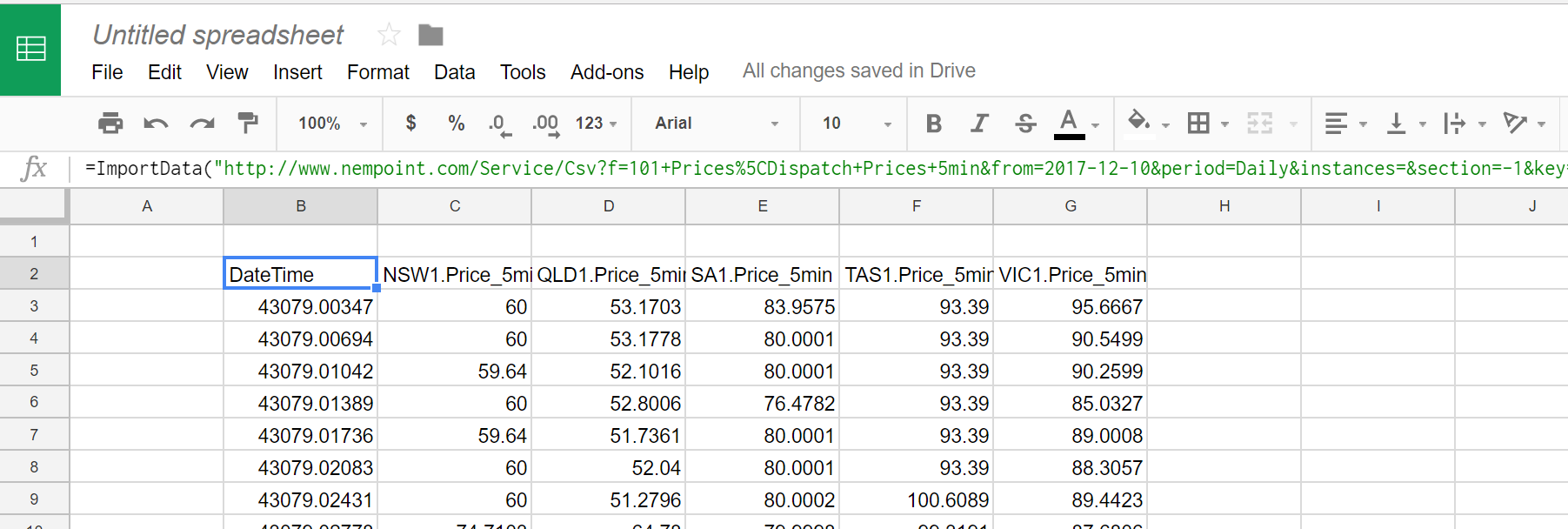
Alternatively if you want to read the data using a script you can use the sample below as a guide.
function myFunction() {
  var csvUrl = "https://neopoint.com.au/Service/Csv?f=101+Prices%5CDispatch+Prices+5min&from=2017-12-10&period=Daily&instances=§ion=-1&key=xxxx";
  var csvContent = UrlFetchApp.fetch(csvUrl).getContentText();
  var csvData = Utilities.parseCsv(csvContent);

  var sheet = SpreadsheetApp.getActiveSheet();
  sheet.getRange(4,4, csvData.length, csvData[0].length).setValues(csvData);
}
Updated 16 days ago
Did this page help you?